
Logging into ClubRunner Nova
Helpful links, documents and tools
District 9675 – club-level resource
Log in via your club website and enter the Member Area. The main menu gives access to events, communications, documents and your profile.
Your first 3 steps
Log in to the Member Area via our club website.
Explore the site
Go to your profile and update your profile (phone/email + photo + privacy settings).
1. Logging in
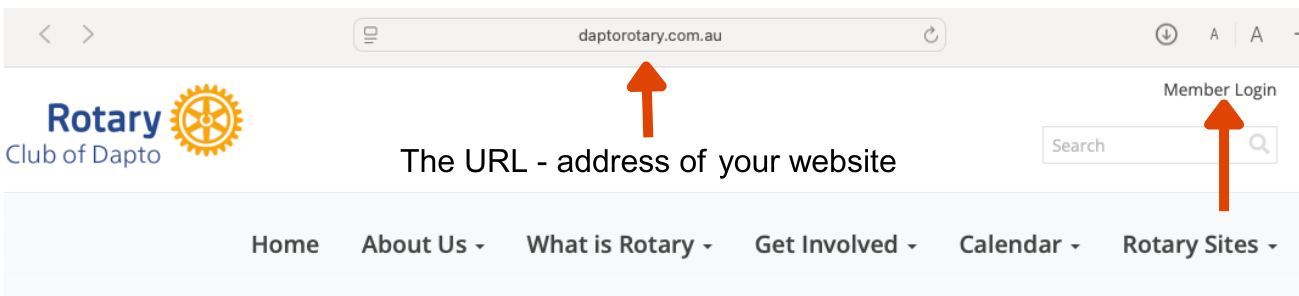
Ensure you have the correct URL and then go to Member Login
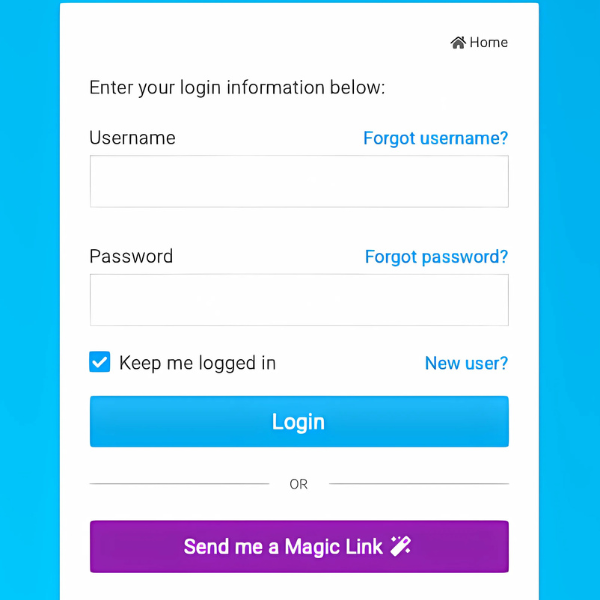
This page will open. Follow the instructions. If you have forgotten your log in details go to ‘Send me a Magic Link’. If you have a permission level higher than 70 - member you will need to do a two factor authentication. (Permissions will be explained)
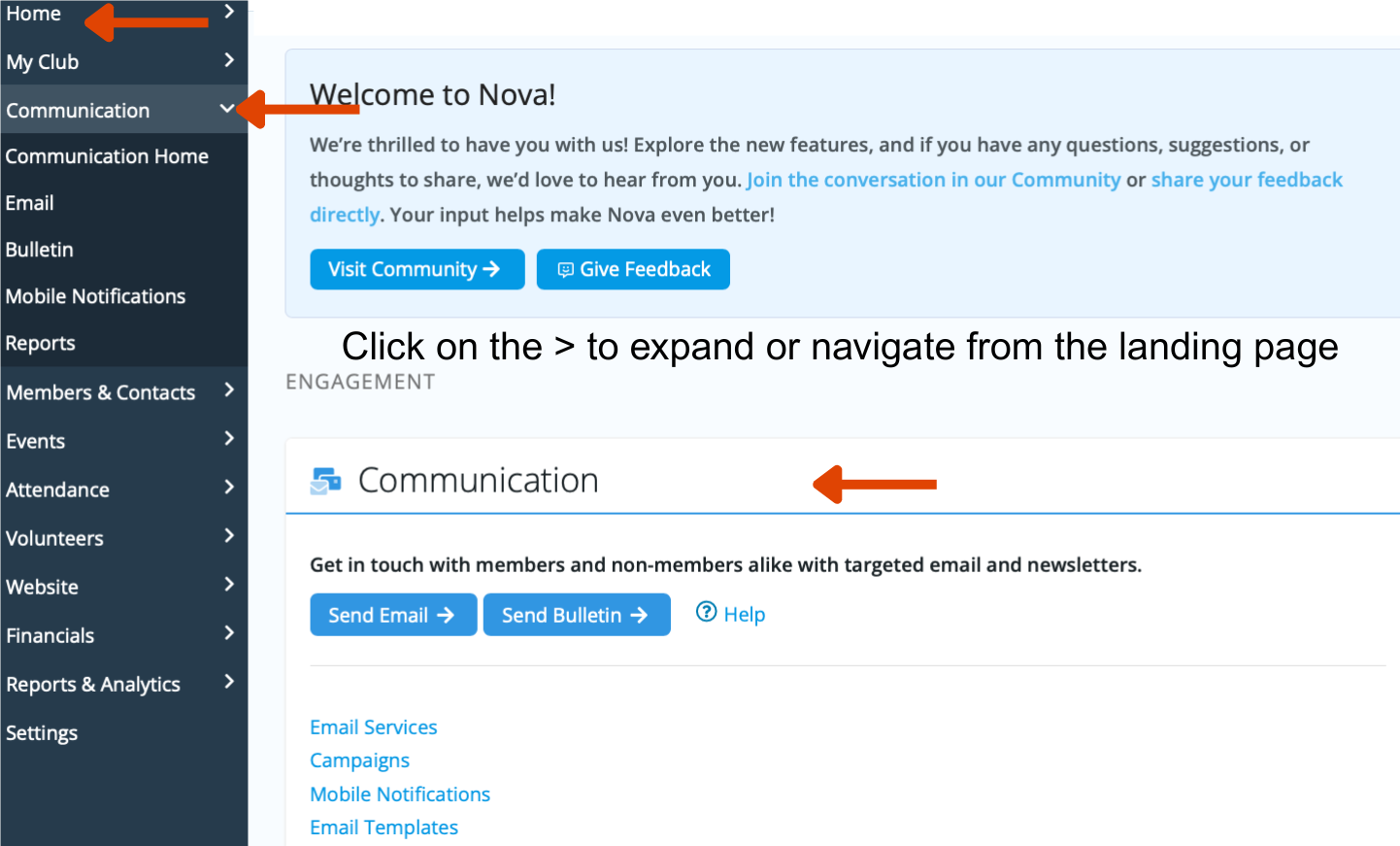
2. Explore the site
The landing page (what you see when you log in) will open.
3. Update your personal details
Keeping your profile up to date helps the club communicate with you and match your interests and skills to projects and activities.
- Confirm your phone number and email
- Add a profile photo
- Review your privacy settings
- Add interests or skills if your club uses them
More Information
Download a PDF version of the instructions to log into ClubRunner.