Permissions & Access in ClubRunner Nova
What permissions mean, why they matter, and what to do if you can’t see something
District 9675 – club-level resource
ClubRunner Nova uses permissions (also called roles or access levels) to control what members can see and do. This keeps member information secure, protects privacy, and ensures only authorised people can update club records or settings.
Why permissions matter
Privacy: protects member contact details and personal information
Security: limits who can edit settings, publish content, or send bulk emails
Governance: ensures financial and board information is restricted appropriately
Consistency: avoids accidental changes by well-meaning members
Common permission levels (typical)
Standard Member
View member directory (as enabled)
View events and RSVP (if enabled)
Read newsletters/bulletins (if enabled)
Access general club documents/resources (as enabled)
Club Leaders / Officers
Additional menus for their role (e.g., Secretary, Treasurer)
Manage certain communications, events, and records
Access board-level or committee folders (restricted)
Access varies by club settings and role assignments.
Website / Communications Editors
Update pages, news, images (where enabled)
Create content for the website or member area
Access tools like the Image Library (if granted)
Administrators
Full access to system settings and configuration
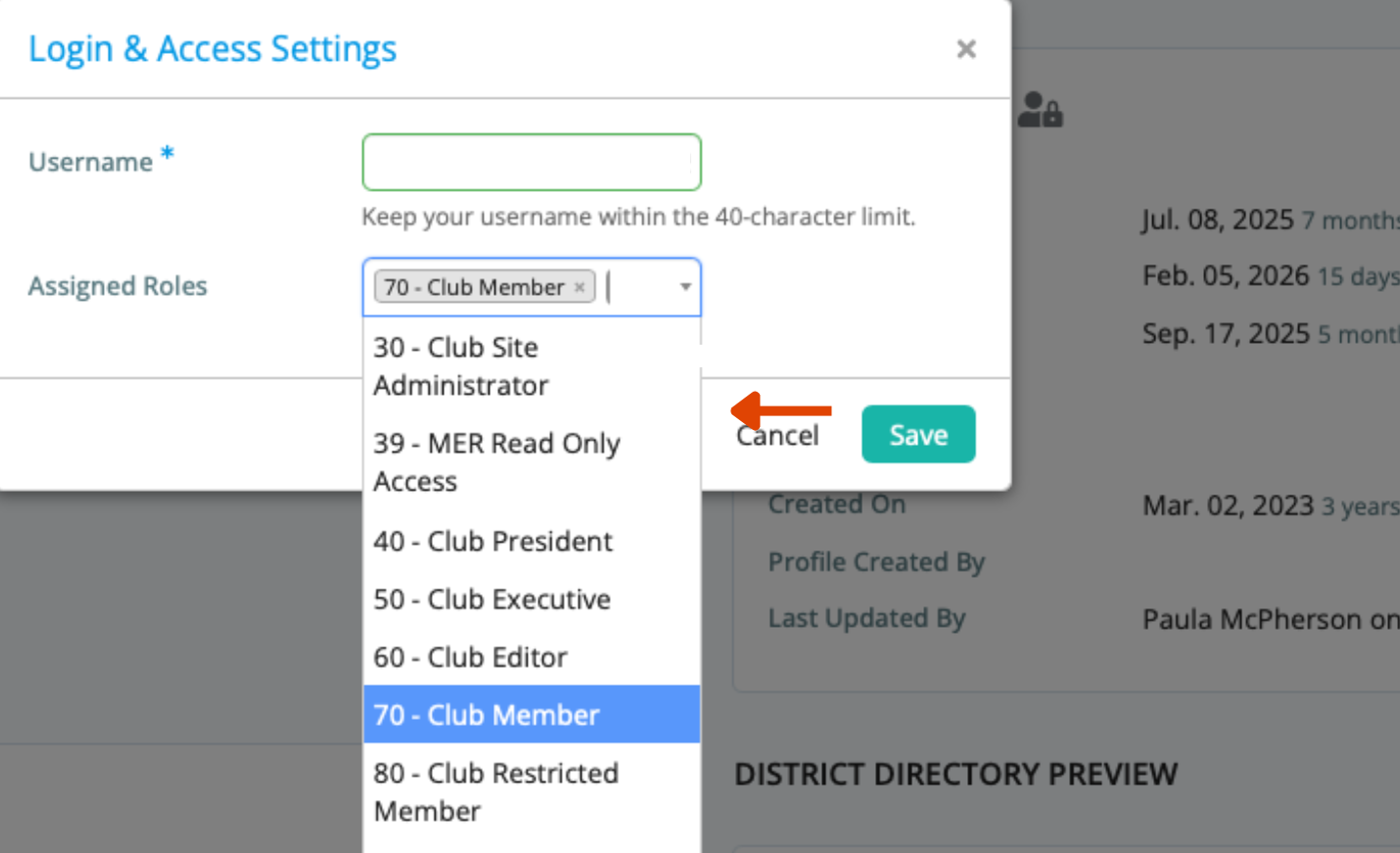
Manage user roles and permissions
Control access to restricted documents and pages
Maintain continuity during leadership changeover
If you can’t see a menu item or page
- Check you’re logged in (Member Area).
- Try another device/browser if something looks missing.
- Ask your club Secretary or ClubRunner Administrator.
“Hi, I’m trying to access [feature/page name] in ClubRunner Nova but can’t see it. Could you check my role permissions?”
Best practice for clubs
- Give members only what they need (privacy-first)
- Restrict board/finance content to approved roles
- Keep at least two admins for continuity
- Review permissions annually (e.g., at changeover)
Link to more information on Permissions ClubRunner
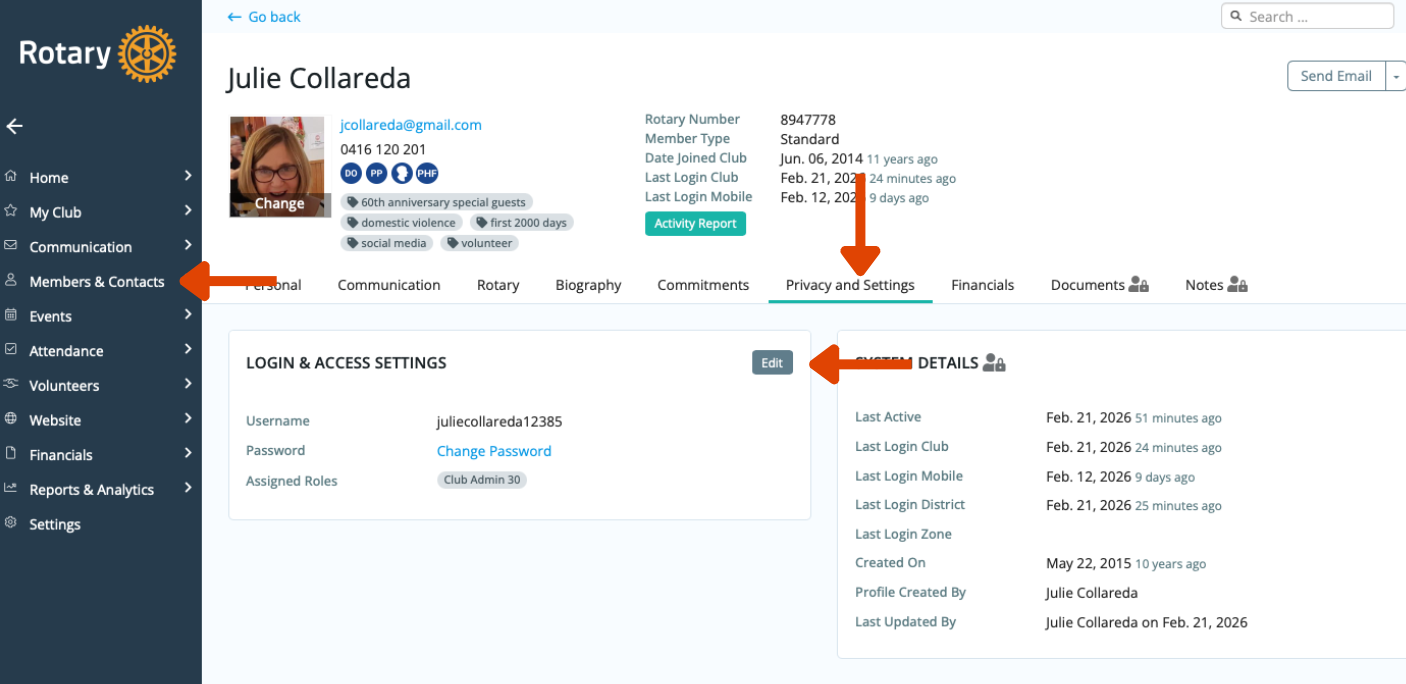
How to change permissions in ClubRunner Nova
Navigate to the members section and select the individual whose permissions you wish to modify.