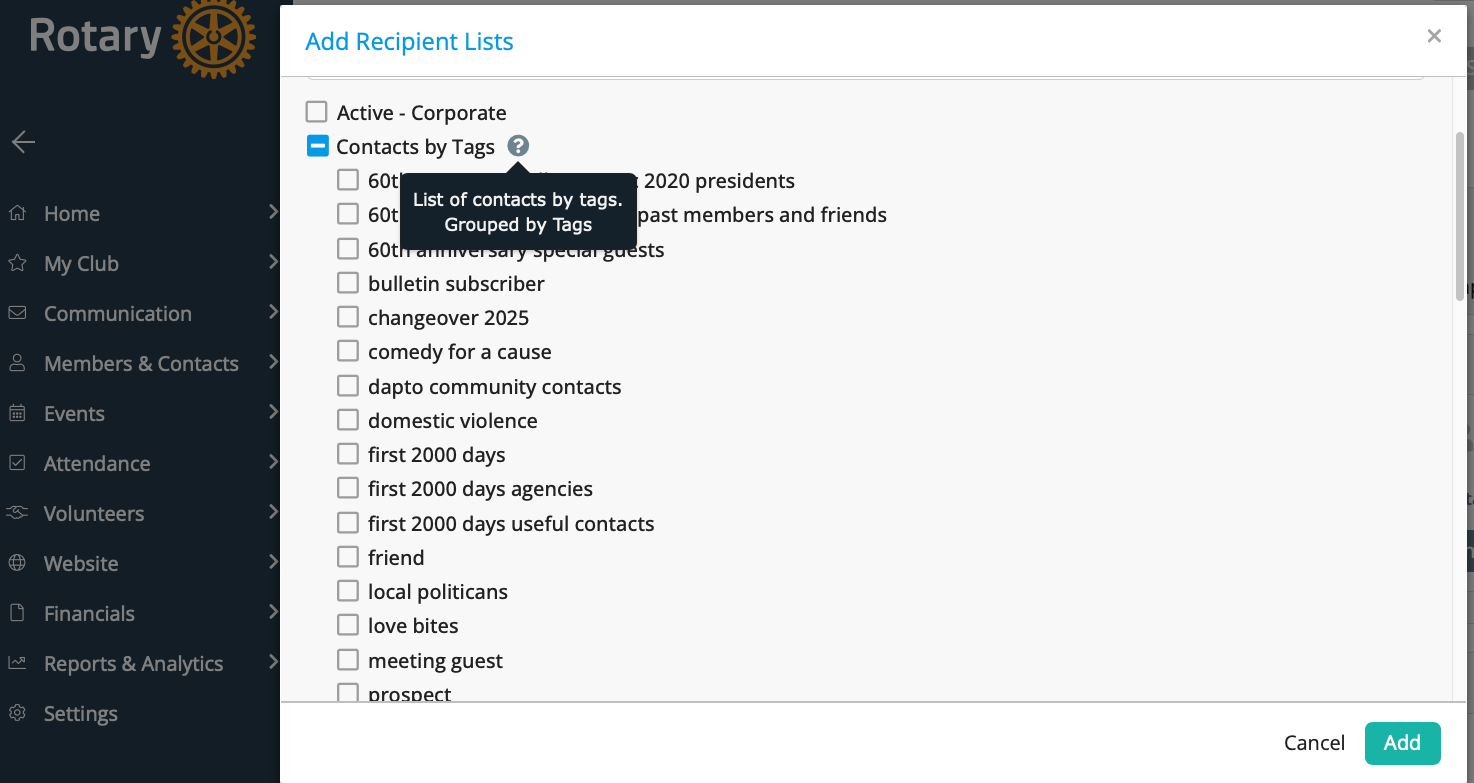
Add recipients
Recipients in ClubRunner Nova
In ClubRunner Nova, recipients are the people who will receive your email communication. When sending an email, you can choose recipients based on roles, committees, tags, or individual member selection.
Rather than manually typing email addresses, ClubRunner automatically uses the contact details stored in each member’s profile. This ensures your message is sent to the correct, up-to-date addresses.
You can select recipients by:
- All active members
- A specific committee
- A role (e.g., Board members)
- A tag group (e.g., Event Volunteers)
- Selected individuals
Using recipient filters helps you:
- Target communication accurately
- Avoid emailing the wrong group
- Maintain privacy and professionalism
- Keep a clear communication record within the club
If you cannot select certain groups, your role may not include access to those lists — your ClubRunner Administrator can assist.
Add Recipient Lists
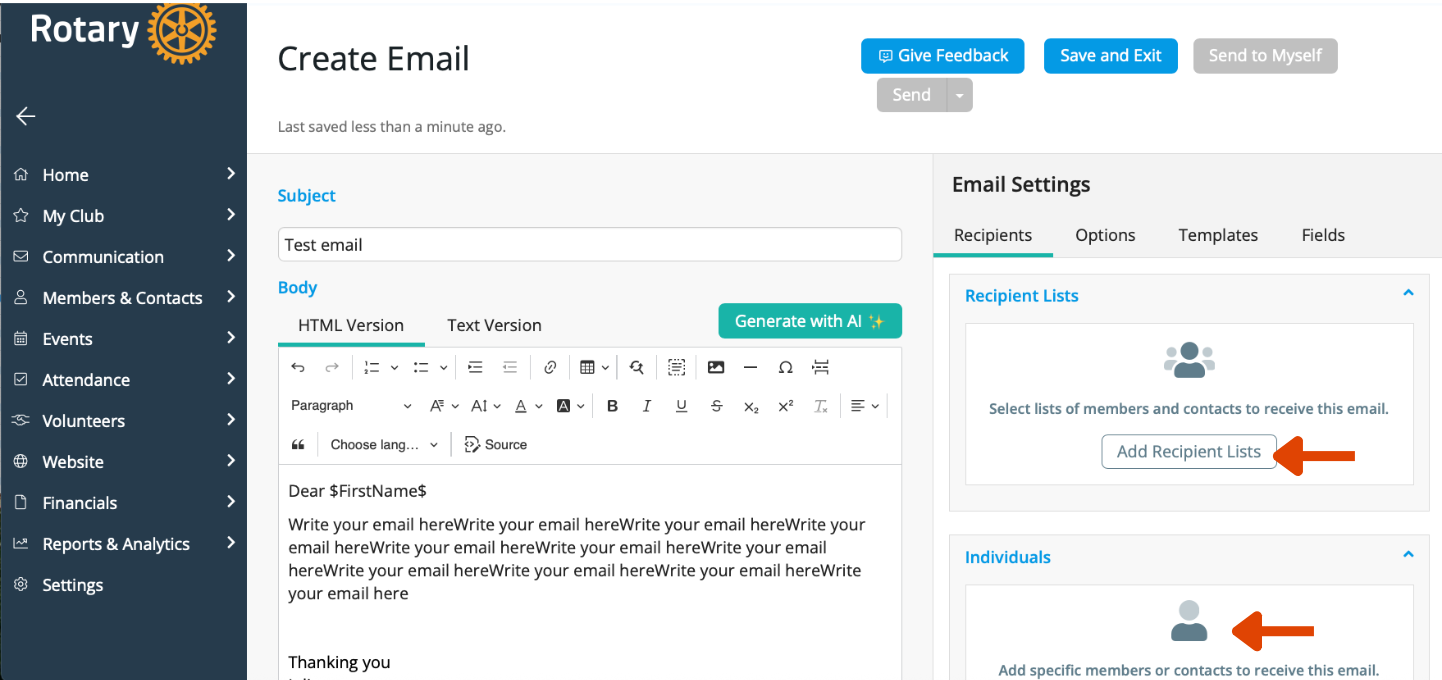
A list of Recipients will be shown
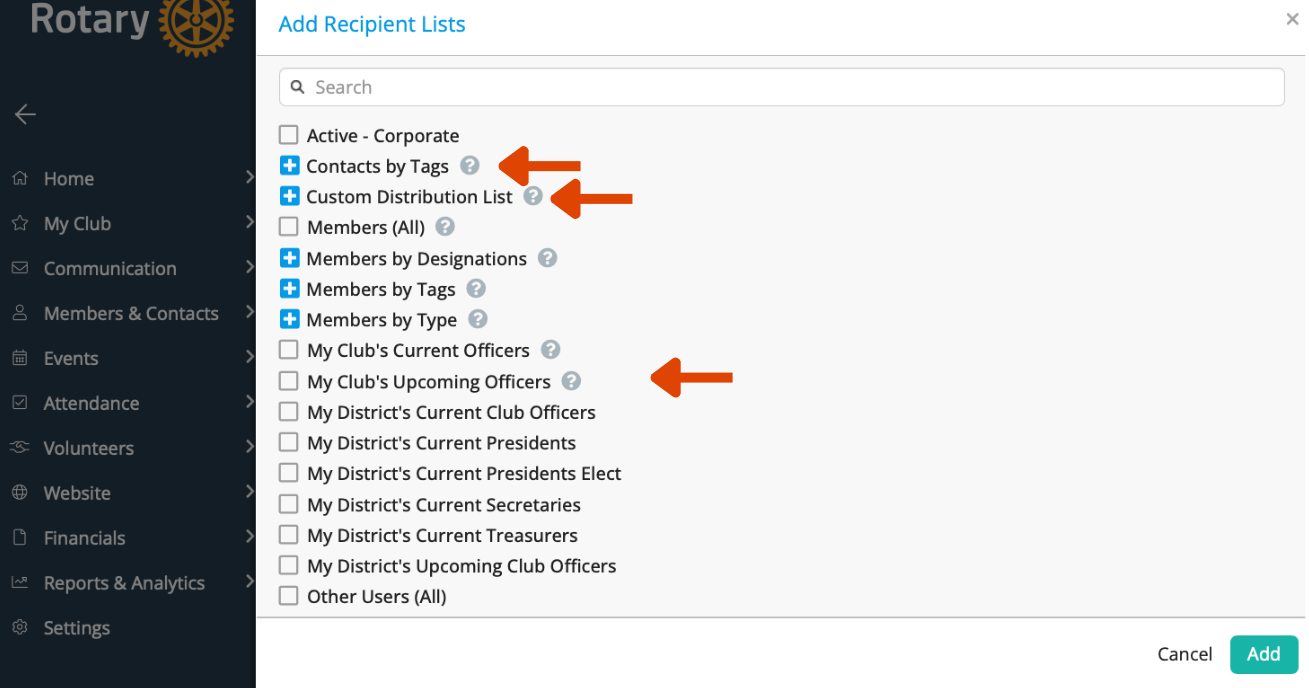
Click on the plus sign and you will see the available lists
The ? explains what the list are and who they include. Choose who you want to send the email too.