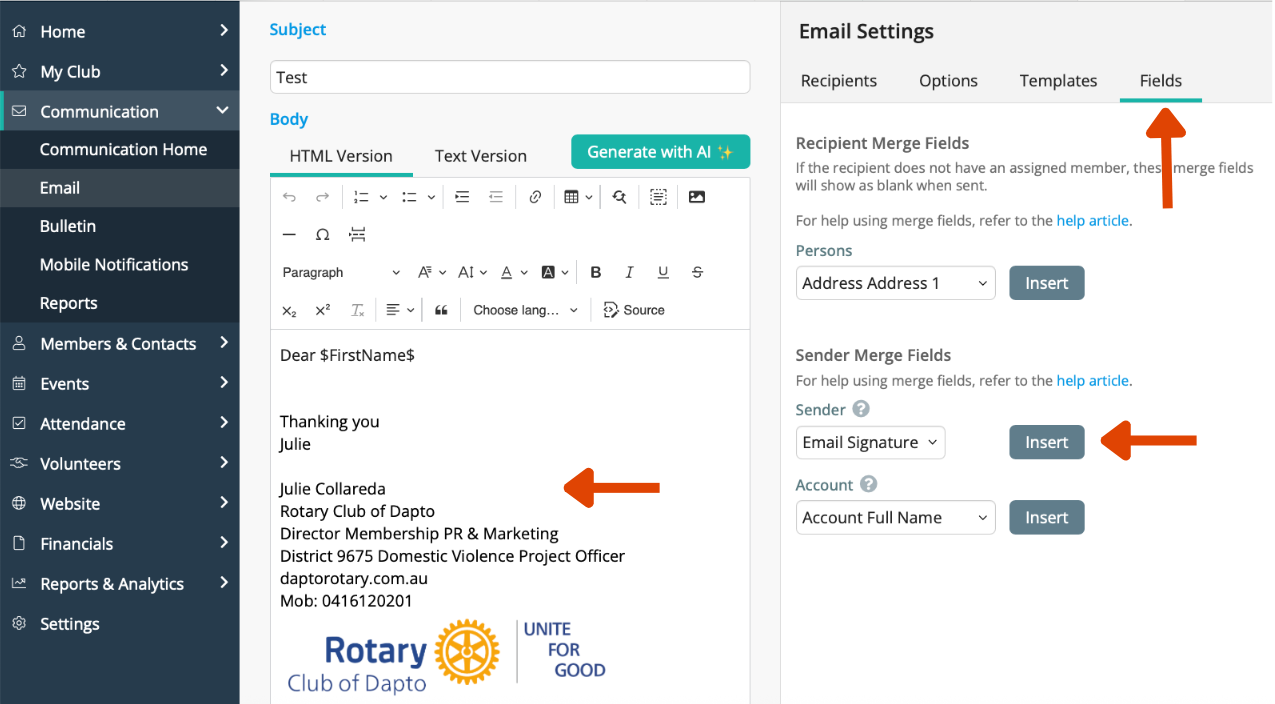
Create your email signature
Create your email signature
An email signature adds professionalism, clarity, and consistency to your communication. An email signature allows your name, role, and contact details to appear at the bottom of every email you send through ClubRunner.
Step 1
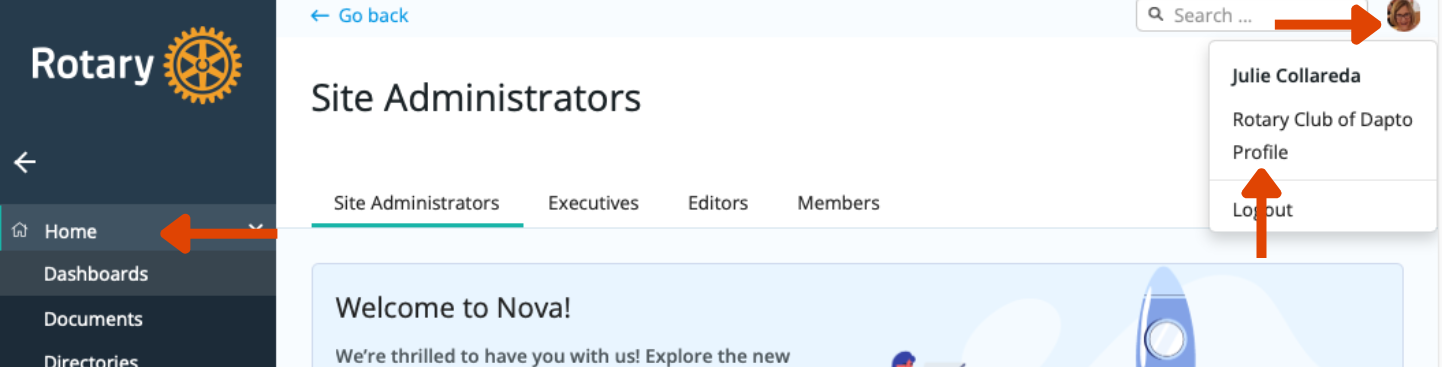
- Go to the Member Area (Nova Dashboard)
- Click on your profile/name (usually top right).
- Select Profile
Step 2
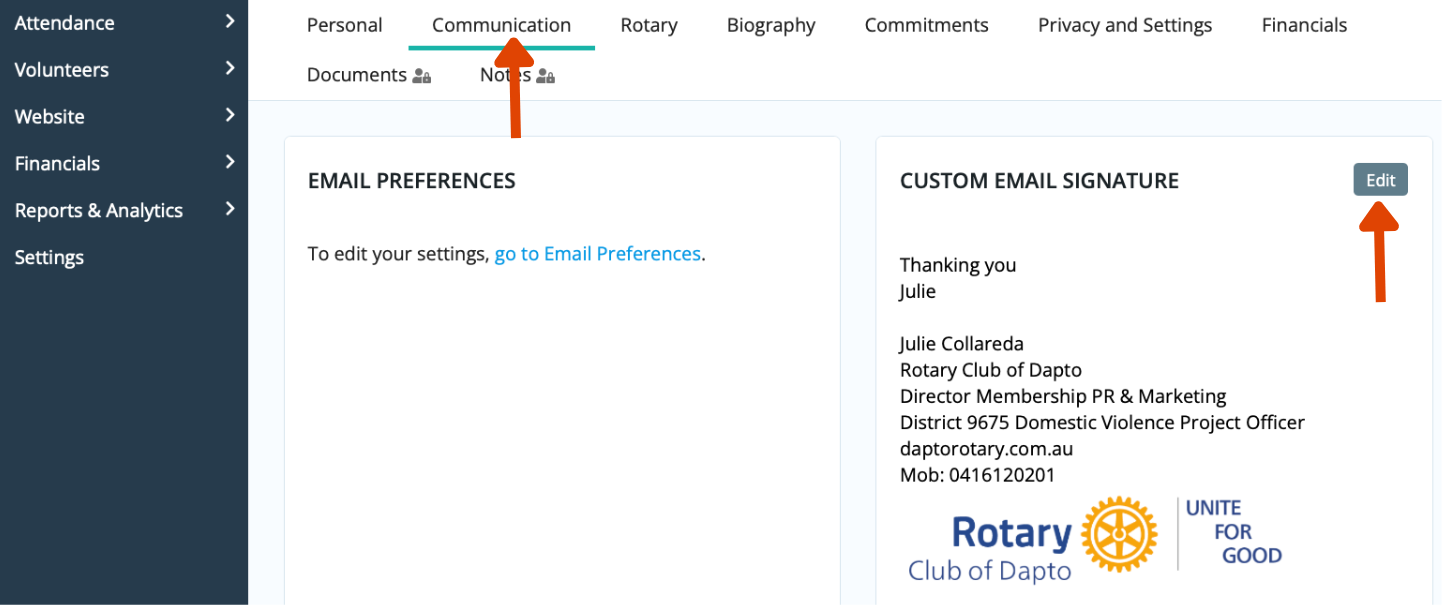
- Go to Communication
- Custom email signature
- Edit
- Enter your preferred signature details (for example):
- Your name
- Rotary title/role
- Club name
- Phone number
- Email address
- Click Save.
Step 3
Now go to fields and then insert