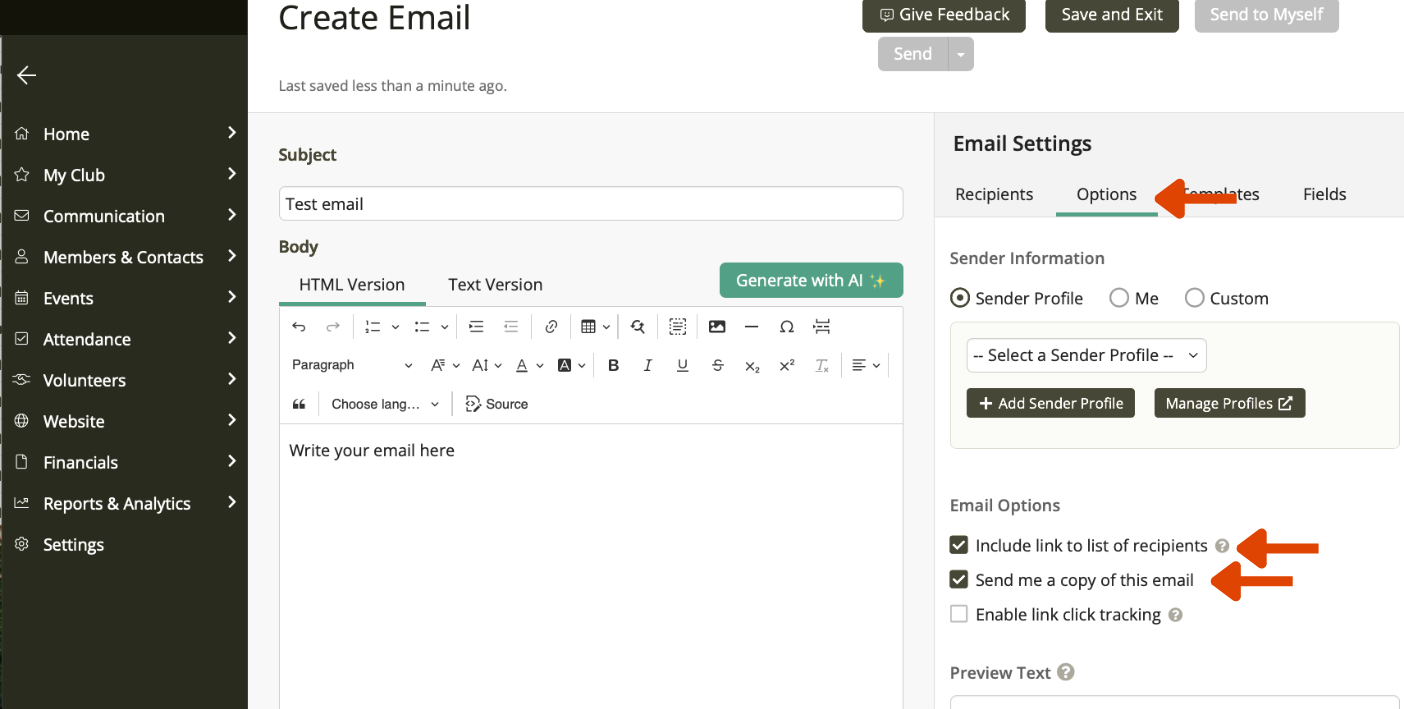
Options
Email Options in ClubRunner Nova
When sending an email in ClubRunner Nova, the Options section allows you to control how your message is delivered and recorded. These settings help you manage replies, privacy, and tracking.
Common options may include:
- Reply-To address – choose where responses will go
- Send a test email – check formatting before sending
- Track email statistics – view delivery and open rates
- Include unsubscribe or preference settings (if enabled)
- Send immediately or schedule for later (if available)
Using Options correctly ensures your communication is professional, accurate, and aligned with club governance practices. If you’re unsure which settings to use, the default options are usually appropriate for most club communications.
Now add options-include a list of recipients (readers will know who the email has been sent too). Also a good idea to send yourself a copy.